Assembly and Test
In Development and Documentation Process
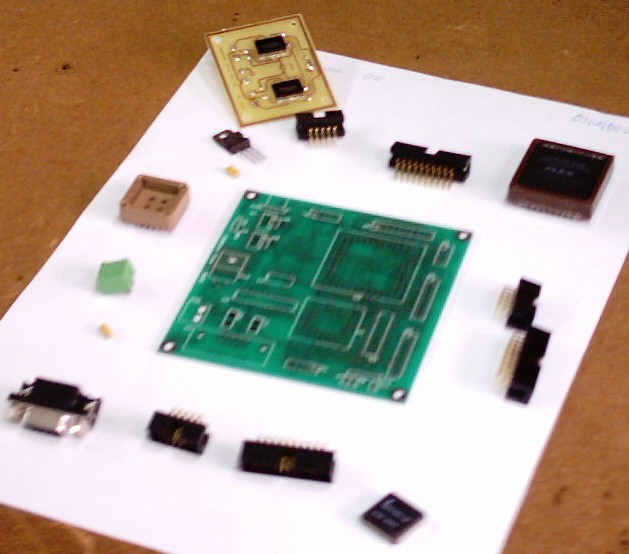
Central Board
The central board function like the "brain" of the robot, centralizing the control of the all the components and to store the program that will decide how to behave in the several scenarios.
Motor Control
To control the speed and direction of the motors we will use two H bright's.
Line Trace
To detect the line we will use infrared sensors.
Wall Detection
To detect the wall we will use a sonar.
Motor PWM Control
To permit the robot clime a lamp we need to monitor the speed of the motor in a way that if necessary a increase in speed of the motor can be made.
* Central Board
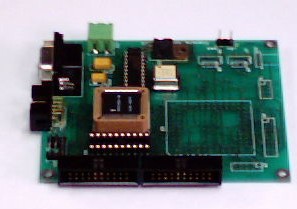
|
| Used components: |
| 1 |
T89C51RD2 |
| 1 |
7805 |
| 1 |
Max233 |
| 1 |
Cristal 20Mhz |
| ... |
... |
| Optional components: |
| 1 |
FPGA |
| 1 |
Pal |
| |
|
|
The central board function like the "brain" of the robot, centralizing the control of the all the components and to store the program that will decide how to behave in the several scenarios.
* Motor Control
|
| Used components: |
| 2 |
Tpic |
| ... |
... |
|
To control the speed and direction of the motors we will use two H bright's.
* Line Trace
|
| Used components: |
| 7 |
Led's Receptores de Infravermelhos Sharp |
| 7 |
Led's Emissores de Infravermelhos |
| 1 |
Pic 18F84A |
| 1 |
Cristal 20Mhz |
| ... |
... |
| |
|
To detect the line we will use infrared sensors.
* Wall Detection
To detect the wall we will use a sonar.
* Motor PWM Control
To permit the robot clime a lamp we need to monitor the speed of the motor in a way that if necessary a increase in speed of the motor can be made.
Development Ambient
To program the microcontroler you will need two programs, the compiler and the Programmer:
Software - C Compilers
- Franklin Software - ProView32 - Windows Download - Demo it's a C compiler for the microcontroler that you are going to use (T89C51RD2 - architecture 8051), this program let's you convert C language in to assembler making in the process one *.hex, this program it's not Freeware and have the limitations of the demo version.
Note: After the installation for the activation of the *.hex generation you have to go to Options->Project->L51->Linker and check Intel Hex like you can see in Figure 1.
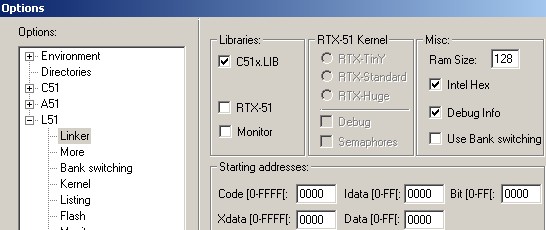
Figure 1
- Keil Software - uVision2 - Windows Download - Demo it's a C compiler for the microcontroler that you are going to use (T89C51RD2 - architecture 8051), this program let's you convert C language in to assembler making in the process one *.hex, this program it's not Freeware and have the limitations of the demo version.
- SDCC (Small Device C Compiler) - Windows Download e Linux Download - Freeware it's a C compiler for the microcontroler that you are going to use (T89C51RD2 - architecture 8051), this program let's you convert C language in to assembler making in the process one *.hex.
Software - Programmer
- Atmel - FLIP (FLexible In-system Programmer) - Windows Download e Linux Download - Freeware is a program to send the *.hex file to the microcontroler.
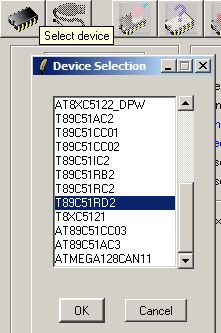
Figure 2
|
Like seen in Figure 2 , the first step is to chose the microcontroler by selecting the first bottom and selecting the option T89C51RD2. The second step is to chose the communication port selecting the second bottom and configurating the COM port, like seen in Figure 3, and pressing the bottom Connect, if all things go well the program goes on. The last step is to select the *.hex file that was generated by the compiler and that we want to load to the microcontroler, like seen in Figure 4, press the bottom Run (like seen in Figure 5).
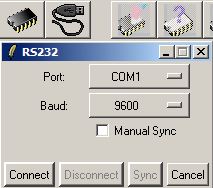
Figure 3
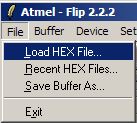
Figure 4
|
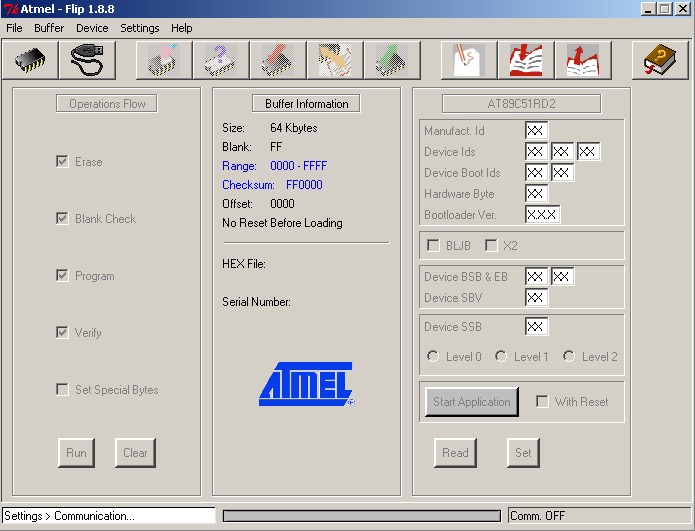
Figure 5 |